Free listing path
Altimateguide Badges
Add a badge to your website and get a free, guaranteed standard listing. Your submission is approved once we verify the badge is live — no editorial queue.
3 steps · Under 5 min
Ways to get listed
The badge is one of three ways to get listed — pick whichever fits.
RecommendedUse SayAbout.Us — free to start, and your Wall of Love doubles as social proof for your site.
Use SayAbout.Us
If you collect testimonials with SayAbout.Us, submit your public Wall of Love URL. We verify it's live and approve your listing. Free to start with unlimited testimonials.
Choose this pathAdd an Altimateguide badge
Add a small badge to your site and get a free listing. Copy one line of code, place it in your footer, and submit the page URL for verification.
You're hereBuy a paid listing
Skip verification and buy a standard listing with a dofollow link outright — one-time payment, no badge or wall required. Clearly labeled as a paid placement.
Get a paid listing — $14.99Compare the three paths
| SayAbout.Us | Badge | Paid | |
|---|---|---|---|
| Cost | $0 | $0 | $14.99 one-time |
| What you do | Publish a public testimonial wall | Add a badge to your site | Nothing — just pay |
| Listing outcome | Guaranteed after verification | Guaranteed after verification | Guaranteed on payment |
| Backlink | Dofollow | Dofollow | Dofollow |
| Setup time | ~10 min to your first testimonial | Under 5 min | Under 5 min |
| Keeps listing live | While your wall is live | While your badge is live | Lifetime (one-time) |
How it works
- Copy — Choose your preferred badge style and copy the embed code.
- Add — Place the badge on your website (footer, about page, or homepage).
- Submit — Fill in the form below with the badge URL. We verify it's live and approve your listing.
Why add a badge?
- Free standard listing — Guaranteed once we verify the badge is live.
- Backlink value — Every badge includes a dofollow link to Altimateguide.
- Trust signal — Show visitors you're listed on an independent software reference.
Choose your badge
Select the style that matches your website. Both badges are 190×44 pixels.
Dark

<a href="https://altimateguide.com" target="_blank" rel="dofollow">
  <img src="https://altimateguide.com/badges/badge-dark.svg" alt="Listed on Altimateguide" width="190" height="44" />
</a>Light
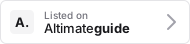
<a href="https://altimateguide.com" target="_blank" rel="dofollow">
  <img src="https://altimateguide.com/badges/badge-light.svg" alt="Listed on Altimateguide" width="190" height="44" />
</a>Submit with your badge
Badge on your site? Fill in the form below and paste the URL of the page where you added it. We verify it's live and approve your listing.
Submissions are tied to an account. Sign in with a one-time email code — no password needed.
Sign in to submitAlready signed in? Refresh your session.
Paid listing
Don't want to add a badge to your site? Buy a standard listing outright for a one-time $14.99. You get the same dofollow link and directory placement as the badge path — with no badge to install and nothing to verify.
Paid listings are clearly labeled and never influence ranking, ordering, or editorial placements. They only change the outbound link and skip the verification step.
Get a paid listing — $14.99Frequently asked questions
Where should I place the badge?
Most tools add the badge to their website footer, about page, or homepage. Any publicly accessible page works — we just need to verify the badge is live before approving your listing.
Is the badge required for inclusion?
No. The badge is one of three ways to get listed — the other two are the SayAbout.Us path (also free) and a paid listing. The badge path is free and your listing is guaranteed once the badge is verified live.
Can I customize the badge appearance?
The badge is provided as-is in dark and light variants. The dimensions (190×44 pixels) are fixed to maintain consistency across sites.
What does "dofollow" mean?
A dofollow link passes SEO value from Altimateguide to your site. Search engines follow the link and may factor it into your site's authority.